Leave application format for school, office and sick leave
A leave application has a fixed shape: who it goes to, the subject, the dates, the reason and your name. This free app puts those parts in the right order in Hindi, English or any of 12 languages, so you only type your own details.
Short answer
Open Application & Letter Writer and choose the type under “Letter type”: “Leave application (school)”, “Leave application (college)”, “Leave application (office)” or “Sick leave”. Type your name, the school or office, the dates and the reason in a few words. Read the letter once, then press “Copy” or “Print or save as PDF”.
A leave application in 5 steps
-
Choose the kind of leave
Open Application & Letter Writer. It opens with a sample letter with made-up details, so that you can see the format. Under “Letter type” choose “Leave application (school)”, “Leave application (college)”, “Leave application (office)” or “Sick leave”. The form then shows only the details that letter needs.
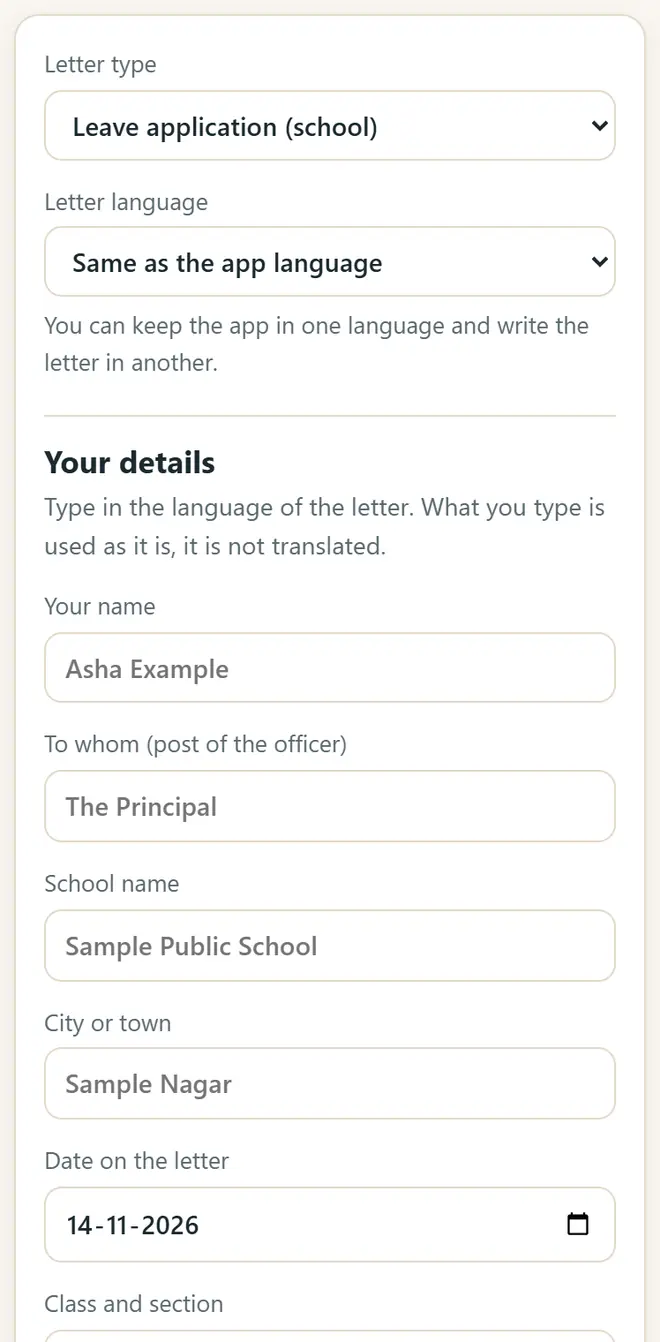
Choose the letter type and fill in a few details. -
Choose the language of the letter
Under “Letter language” pick Hindi, English or any of the 12 languages. The app itself can stay in your own language. Type your details in the language of the letter: what you type is used as it is, it is not translated.
-
Fill in your details
Type your name, the post of the person the letter goes to (such as the Principal or the Manager), the name of the school or office, and your city. Students add their class and roll number; office staff add their post.
-
Add the dates and the reason
Choose the dates in “Leave from” and “Leave till”: the letter counts the days by itself. Write the reason in a few simple words, such as fever or my sister's wedding. It fits into the sentence by itself. Always give the true reason.
-
Read it, then copy or print
Read the letter once. Press “Copy” to paste it into WhatsApp or an email, where you can still change any words. Press “Print or save as PDF” for a paper copy or a PDF (choose Save as PDF in the print window), or “Download as text” for a text file.
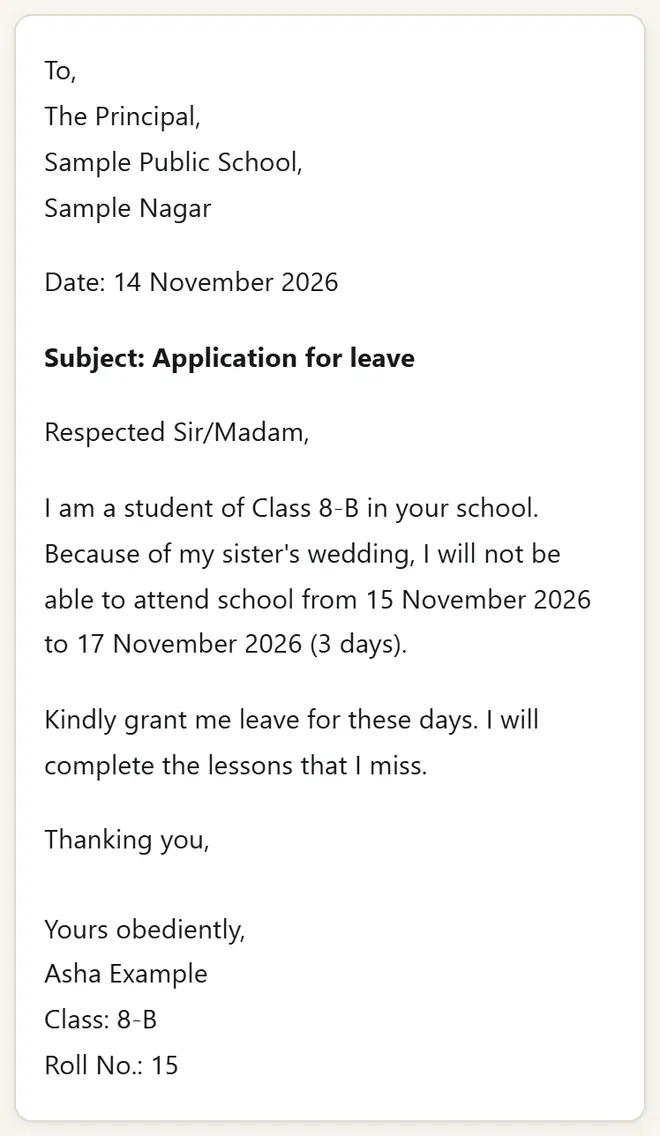
The ready leave application, to copy or print.
What a good leave application has
- The parts: who it goes to, the date, the subject, a greeting, the reason with the dates, a line of thanks, and your name with your class and roll number or your post.
- Keep it short. Two small paragraphs are enough: why you need leave, for which dates, and a polite request.
- A line like ________ in the letter means that detail is empty. Fill it in the form, or print the letter and write it by pen. You can also add your mobile number.
- Leave rules are different in every school and office. Some ask for a parent's signature or a doctor's certificate, so ask your class teacher or your office what they need.
Get new free tools and Hindi AI lessons
Join our email list to hear about new free apps, new guides and Hindi video lessons on AI. No spam.
For adults (18+). You can unsubscribe at any time.
Why we recommend these tools
- Free for everyone: no ads, no sign-up and no paid plan.
- Private: your files and details stay on your own device.
- Works on a phone, laptop or smartboard, and offline once opened.
- Available in 12 languages, including Hindi.
Prefer video? Watch free Hindi lessons on AI and free tools on our YouTube channel.
Frequently asked questions
How do I write a leave application for school?
Address it to the Principal or the class teacher, write the subject, give the reason and the dates in one or two sentences, and end with your name, class and roll number. In the app, choose “Leave application (school)” and fill in these details.
Can I get the leave application in Hindi?
Yes. Choose Hindi under “Letter language” and type your details in Hindi. The letter is also ready in English, Bengali, Marathi, Gujarati, Punjabi, Odia, Tamil, Telugu, Kannada, Malayalam and Urdu.
How do I write a sick leave application?
Choose “Sick leave”, type the illness in a word or two, such as fever, and choose the dates. The letter says that you are not well and asks for leave for those days. For a student who is ill, choose “Leave application (school)” and write the illness as the reason.
Can I send the leave application on WhatsApp or email?
Yes. Press “Copy” and paste the letter into WhatsApp or an email. If your school or office wants it on paper, press “Print or save as PDF” and sign it by hand.
Is it free? Are my details saved anywhere?
It is free and there is no sign-up. Your details stay in this browser on your own device, and nothing is uploaded. “Clear my details” removes them.
Found this useful?
Send it to a friend, your colleagues or your school's WhatsApp group.