Resume format for freshers: make a one-page resume for free
Many resume websites let you fill in everything and then ask for money or a login before the download. Here you can make a clean one-page resume and save the PDF for free, and your phone number and address stay on your own device.
Short answer
Open Resume & CV Builder, press “Start blank” and choose the “Fresher” template (or “ATS Classic” for job portals). Fill in your name and contact, a summary of 2 or 3 lines, education, projects or internships, and skills. Keep it to one page, then press “Save as PDF / Print” and choose Save as PDF.
A fresher resume in 5 steps
-
Open the app and start blank
Open Resume & CV Builder. It opens with an example resume so that you can see the format. Press “Start blank” to clear it and type your own details.
-
Choose a template
“Fresher” is clean and friendly, for students and first jobs. For job portals and company career sites, use “ATS Classic” or “ATS Compact”: plain text that hiring software can read. “Govt / PSU” is a formal format with personal details and a declaration.
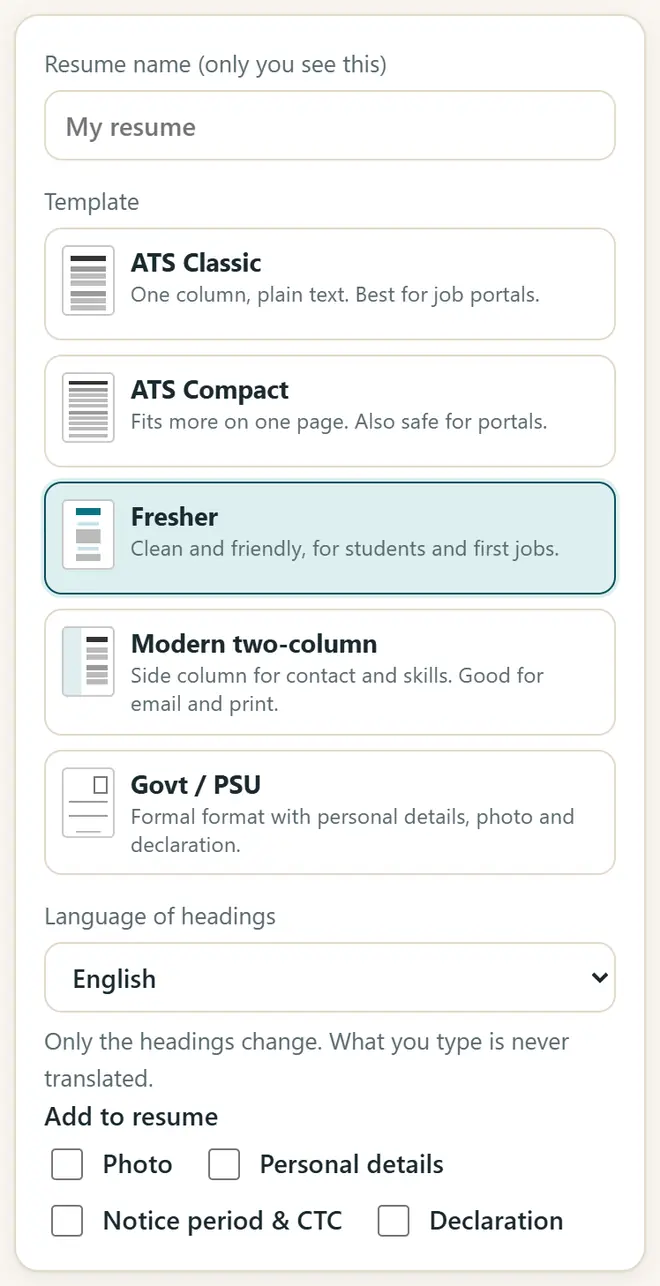
Choose a template: Fresher, ATS, Modern or Govt / PSU. -
Fill in your details
Add your name, mobile number, email and city. Write a summary of 2 or 3 lines: who you are, your strongest skills and the job you want. Then add your education with marks, projects, internships, skills and achievements.
-
Write strong points
Start each point with an action verb and add a number if it is true: how many, how much or what percentage. The app suggests action verbs, and “Copy AI prompt” gives you a prompt to paste into any AI chatbot to polish your points. Never add things you did not do.
-
Check the page and save the PDF
Open “Preview” and look at the page-fit meter: a fresher resume should fit on one A4 page. Press “Save as PDF / Print”, choose Save as PDF in the print window, keep the margins on Default and turn on Background graphics.
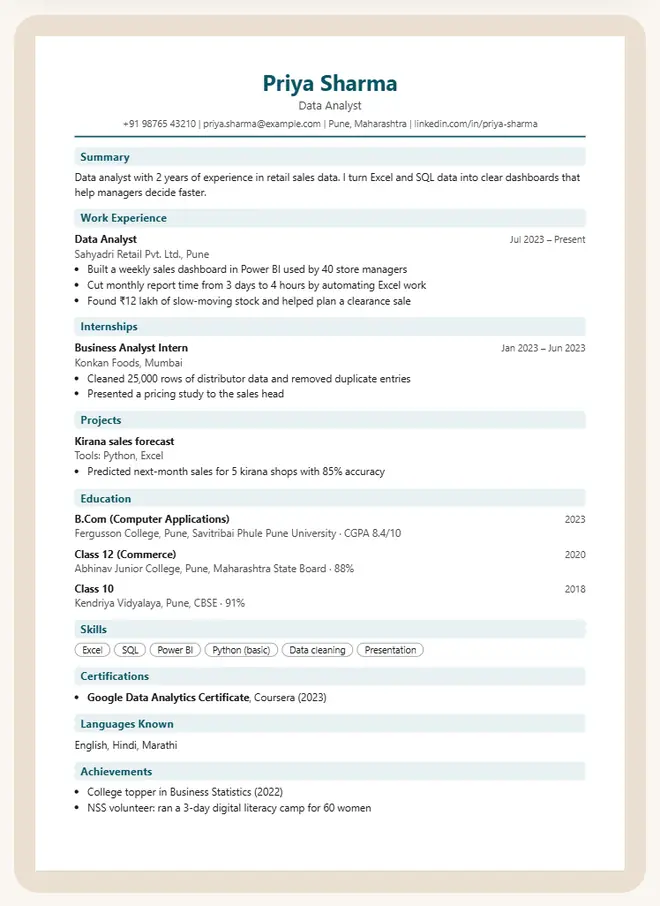
The live A4 preview of the resume.
What to put in a fresher resume
- An order that works: name and contact, summary, education, projects or internships, skills, achievements. You can move the sections up and down in the app.
- No work experience? Show what you can do with projects, internships, college events, NSS or NCC, sports and certificates.
- Use a simple email address and a mobile number that you answer. Add a photo, date of birth or declaration only if the job asks for them.
- Check the spelling twice and ask someone to read it. Make one resume for each kind of job: the app keeps them under “My resumes”.
Get new free tools and Hindi AI lessons
Join our email list to hear about new free apps, new guides and Hindi video lessons on AI. No spam.
For adults (18+). You can unsubscribe at any time.
Why we recommend these tools
- Free for everyone: no ads, no sign-up and no paid plan.
- Private: your files and details stay on your own device.
- Works on a phone, laptop or smartboard, and offline once opened.
- Available in 12 languages, including Hindi.
Prefer video? Watch free Hindi lessons on AI and free tools on our YouTube channel.
Frequently asked questions
Which resume format is best for freshers?
A one-page resume with education near the top, then projects or internships, and skills. Use the “Fresher” template for email and print, and “ATS Classic” when you upload it to a job portal.
Is it really free? Do I have to sign up?
Yes, it is free. There is no sign-up, no watermark and no charge for the PDF.
Where are my details saved?
Only in this browser, on your own device. Nothing is sent to a server. Use “Export JSON” to keep a backup or to continue on another device.
What is an ATS resume?
Many companies use software (an Applicant Tracking System) to read resumes first. It reads plain, one-column text best, so the ATS templates leave out photos, columns and graphics.
Can I make the resume on a phone?
Yes. Fill in the form, switch to “Preview” to see the A4 page, and save the PDF from the print window of the browser.
Found this useful?
Send it to a friend, your colleagues or your school's WhatsApp group.