How to make a UPI QR code for your shop (free printable standee)
Every UPI app can pay a QR code made from your UPI ID. You can print a neat counter standee for a shop, tuition class or stall in a few minutes, and keep it safe from QR fraud.
Short answer
Find your UPI ID (it looks like name@bank) in the profile of your UPI app. Open UPI QR & Payment Standee, type the UPI ID and the name on your bank account, add the shop name, pick a standee, table tent or sticker design, and press “Print” or “Download PNG”. Before you put it on the counter, pay ₹1 from another phone to test it.
Make your UPI QR in 6 steps
-
Find your UPI ID
Open PhonePe, Google Pay, Paytm, BHIM or your bank's app and look for the UPI ID in your profile. It looks like name@okaxis or a phone number followed by @ and a bank handle.
-
Type your details
Open UPI QR & Payment Standee. Type the UPI ID and the payee name exactly as on your bank account, in English letters. Add the shop name in any language.
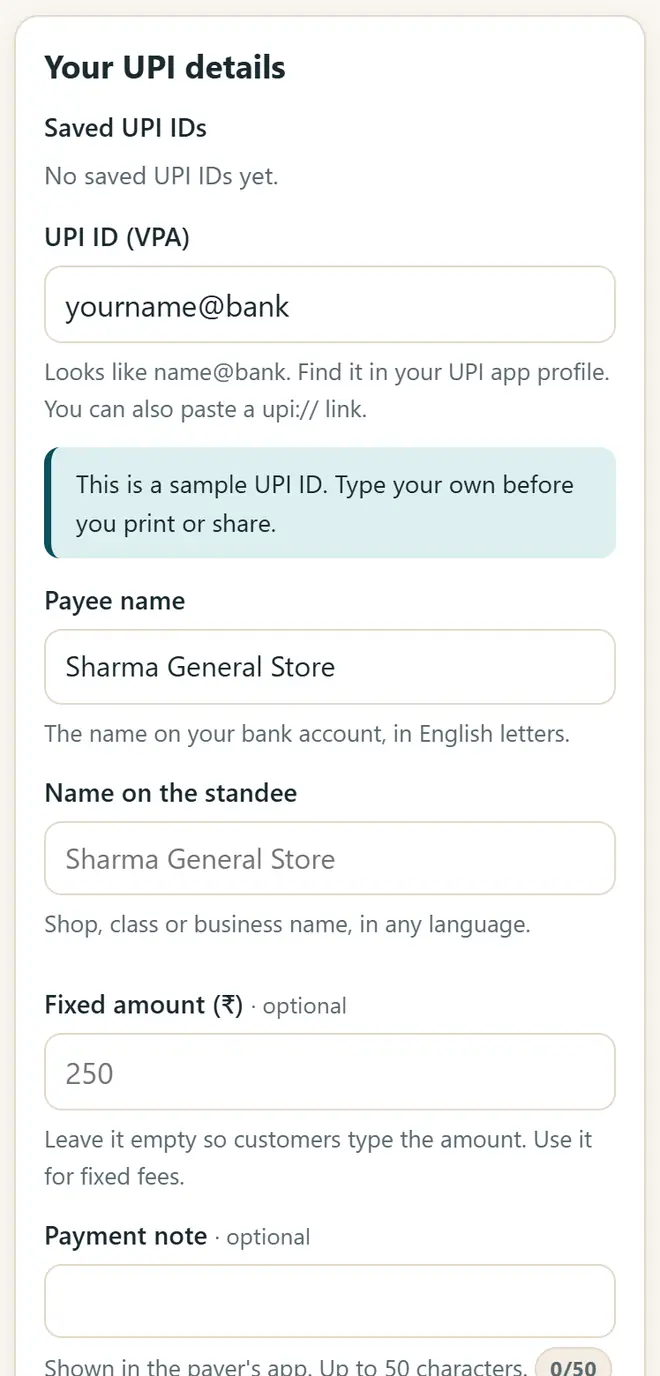
Type your UPI ID, payee name and shop name. -
Add a fixed amount (optional)
Leave the amount empty so that customers type it. For a fixed fee, such as tuition fees, type the amount and a note like “July fee”.
-
Pick a design
Choose a counter standee (A5 or A4), a table tent that you fold, a sheet of stickers, or an image for a WhatsApp status. Add your logo and a colour.
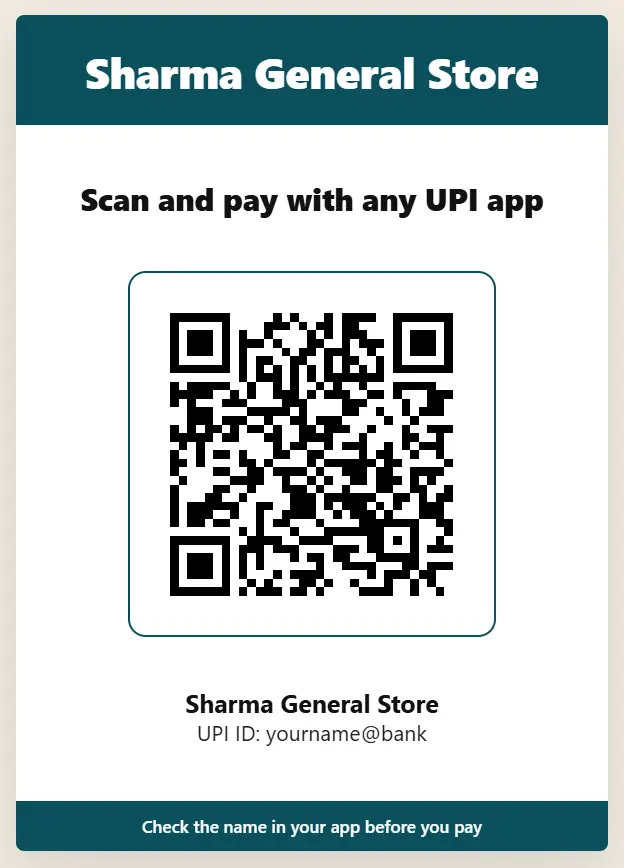
The counter standee, ready to print. -
Print or download
Press “Print” or “Download PNG”. Print it on thick paper or get it laminated, and keep the QR at least 2.5 cm wide.
-
Test it with ₹1
Pay ₹1 from another phone. Check that your name appears and that the money reaches your bank before you start using the QR.
Stay safe with UPI QR codes
- You never scan a QR code or enter your UPI PIN to receive money. Anyone who asks you to do this is trying to cheat you.
- Look at your counter QR every day: fraudsters stick their own QR over a shop's QR.
- Confirm each payment in your own UPI app, sound box or bank SMS, never on the customer's screen or a screenshot.
- If you get many payments a day, ask your bank about a merchant (business) QR and compare its features and charges.
Get new free tools and Hindi AI lessons
Join our email list to hear about new free apps, new guides and Hindi video lessons on AI. No spam.
For adults (18+). You can unsubscribe at any time.
Why we recommend these tools
- Free for everyone: no ads, no sign-up and no paid plan.
- Private: your files and details stay on your own device.
- Works on a phone, laptop or smartboard, and offline once opened.
- Available in 12 languages, including Hindi.
Prefer video? Watch free Hindi lessons on AI and free tools on our YouTube channel.
Frequently asked questions
Is it free to make a UPI QR code?
Yes. A UPI QR code is just your UPI ID in a code that every UPI app can read. Making and printing it costs nothing.
Will the QR work with PhonePe, Google Pay and Paytm?
Yes. It uses the standard UPI payment link, so any UPI app can scan it and pay you.
Can I put a fixed amount in the QR?
Yes. Type a fixed amount for fees or fixed prices. For a different bill each time, use “Counter mode”: type the bill amount and turn the phone to the customer.
Is my UPI ID safe in this app?
Your UPI ID, name and logo stay on your device. Many QR websites can save what you type; this app uploads nothing.
Do I need a sound box?
No. The QR works without one. Check every payment in your UPI app or bank SMS. A sound box, if you want one, comes from your bank or UPI app.
Found this useful?
Send it to a friend, your colleagues or your school's WhatsApp group.