Free AI tools for teachers: save hours every week
Lesson plans from Gemini or ChatGPT, printable worksheets, class quizzes, report cards and certificates: here is how to do each one for free, in your own language, without giving away student data.
Short answer
Use Prompt Builder to get better lesson plans and question papers from any free AI chatbot, Maths Worksheet Generator for printable sheets with answer keys, Quiz Maker & Player for class quizzes and WhatsApp practice links, and Marks & Report Cards for results. All of them are free, need no login and keep your data on your device.
A teacher's week with free tools, step by step
-
Plan the lesson with a good AI prompt
Open Prompt Builder, pick a template such as a lesson plan or a question paper, fill in the class, subject and chapter, and press “Copy prompt”. Paste the prompt into Gemini or ChatGPT. A complete prompt gives a far better answer than a one-line question.
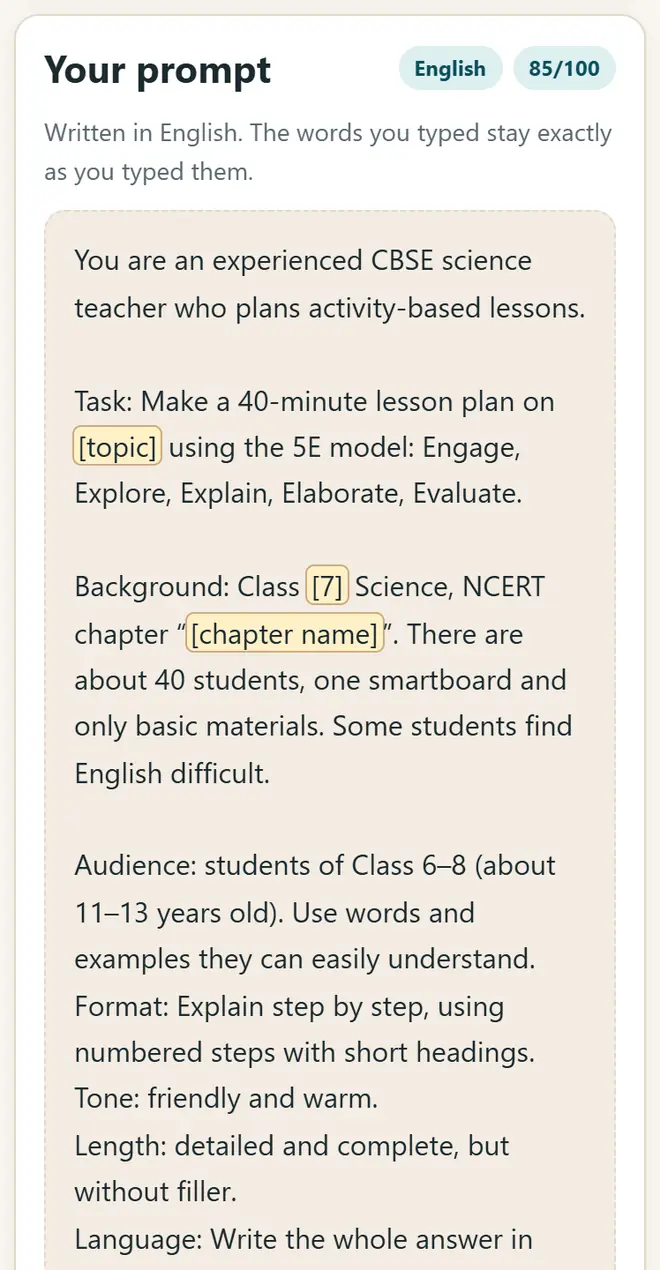
Prompt Builder: pick a template, then fill in the class, subject and chapter. -
Print a maths worksheet with an answer key
In Maths Worksheet Generator, choose one of 19 topics for Classes 1–8, the number of questions and the difficulty. Press “Print”: the answer key comes on a separate last page, so you can keep it with you.
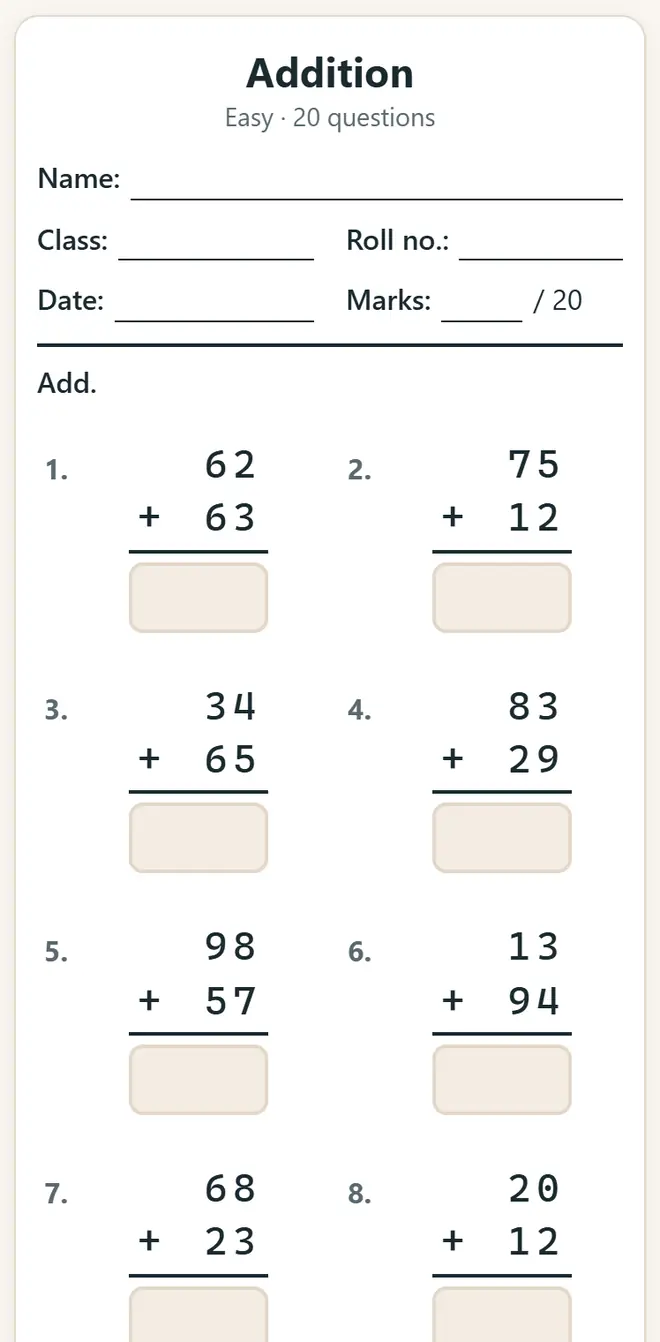
Maths Worksheet Generator: a printable worksheet with an answer key. -
Make a quiz for the class or for homework
In Quiz Maker & Player, type your questions or import them from Excel as a CSV file. Play the quiz on the projector with team scores, or send a practice link to the class WhatsApp group. The whole quiz is inside the link, so students need no login.
-
Enter marks and print report cards
Marks & Report Cards adds totals, CBSE-style grades and ranks, shows a class analysis and prints a report card for every student. The marks stay on your computer.
-
Celebrate with certificates
Certificate Maker prints merit and participation certificates for the whole class in one go, in any of 12 languages. Attendance Register keeps the monthly attendance and flags anyone below 75%.
-
Check AI answers before you use them
AI chatbots make mistakes in facts, maths and answer keys. Read every answer, compare it with the NCERT book, and never type students' names, marks or phone numbers into an AI chatbot.
Ready-to-use prompts for teachers
- Lesson plan: “You are an experienced Class 7 science teacher. Make a 40-minute lesson plan on [chapter] with a starter activity, two discussion questions and homework. Use Indian examples.”
- Question paper: “Make 10 MCQs and 5 short-answer questions on [chapter] for Class [n], CBSE pattern, with the answer key on a separate page.”
- Notes: “Explain [topic] in simple Hindi for Class [n] in 10 points, with one real-life example.”
- Parent message: “Write a polite WhatsApp message to parents about the parent-teacher meeting on [date], in Hindi and English, under 60 words.”
Get new free tools and Hindi AI lessons
Join our email list to hear about new free apps, new guides and Hindi video lessons on AI. No spam.
For adults (18+). You can unsubscribe at any time.
Why we recommend these tools
- Free for everyone: no ads, no sign-up and no paid plan.
- Private: your files and details stay on your own device.
- Works on a phone, laptop or smartboard, and offline once opened.
- Available in 12 languages, including Hindi.
Prefer video? Watch free Hindi lessons on AI and free tools on our YouTube channel.
Frequently asked questions
Are these AI tools for teachers really free?
Yes. AI Pathshala apps are free, with no ads, no login for students and no paid plan. Gemini and ChatGPT also have free versions that are enough for lesson plans and question papers.
Do I need to install anything?
No. The apps open in any browser on a phone, laptop or smartboard. Once you have opened an app, it keeps working without internet.
Is it safe to use with student data?
Our apps keep everything on your device: marks, names and attendance are never uploaded. Do not paste students' names, marks or phone numbers into any AI chatbot.
Which AI chatbot is best for Hindi?
Gemini and ChatGPT both understand Hindi and other Indian languages. Write the prompt in the language you want the answer in, and mention the class and the board (CBSE or state board).
Can AI make a full question paper?
It can make a good first draft. Always check the questions, marks and answer key yourself before you print, because AI sometimes gets answers wrong.
Found this useful?
Send it to a friend, your colleagues or your school's WhatsApp group.