How to resize a photo and signature for exam and job forms
Online forms reject a photo or signature that is a few KB too big, too small or the wrong shape. Here is how to make both fit the rules of your form on a phone, without sending them to any website.
Short answer
Open Form Photo & Signature Resizer, tap “Photo” or “Signature”, pick your exam or form and add your picture. Move and zoom it inside the frame, then press “Download”. The file is made inside the KB limit shown. Always compare the numbers with your official notice.
Photo and signature ready in 5 steps
-
Choose what you are uploading
Open Form Photo & Signature Resizer and tap “Photo”, “Signature”, “Thumb impression” or “Declaration”.
-
Pick your exam or form
Choose from the list: banks (IBPS, SBI), UPSC, SSC, railways (RRB), NEET, PAN card, driving licence or a common size. The box “What the form asks for” shows the pixels, KB and DPI. If your notice says something different, press “Change size and KB” and type its numbers.
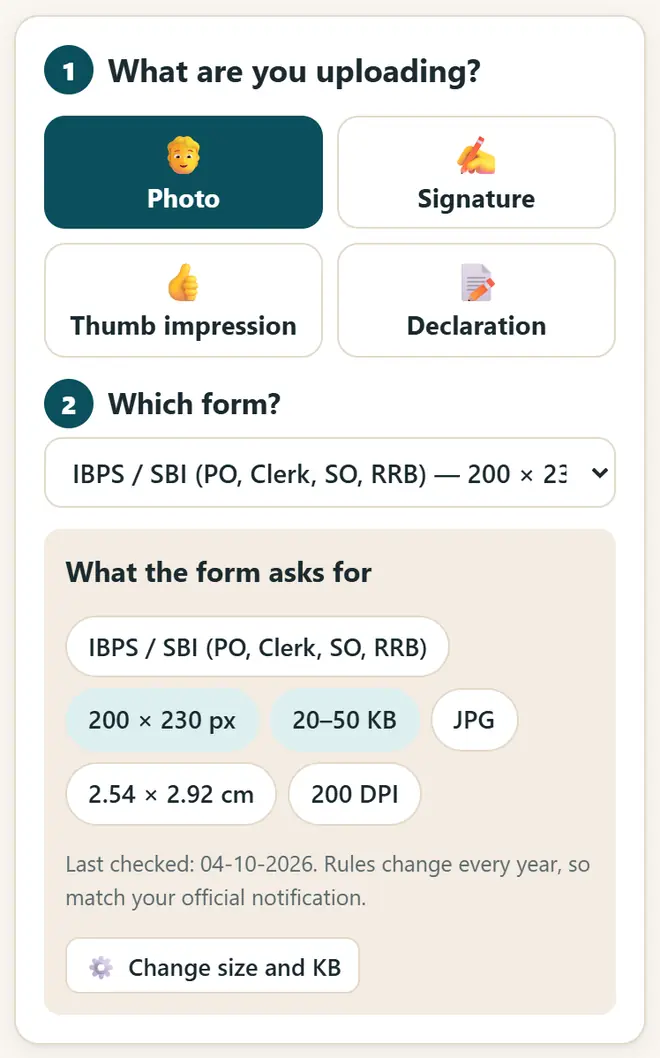
Pick the form: the app shows the pixels, KB and DPI to match. -
Add your picture and set the crop
Press “Choose picture” or “Camera”. Drag and zoom until the face sits inside the oval guide. For a signature, tap “Auto-crop to ink” to trim the empty paper around it.
-
Make it clear
Change the brightness and contrast if needed. “Whiten background” turns a plain light wall into clean white. For a signature, the app removes the shadow and the paper colour.
-
Check and download
The result shows the pixels and the file size, and tells you when the file is ready to upload. Press “Download” and upload that file to the form. Keep your original photo too.
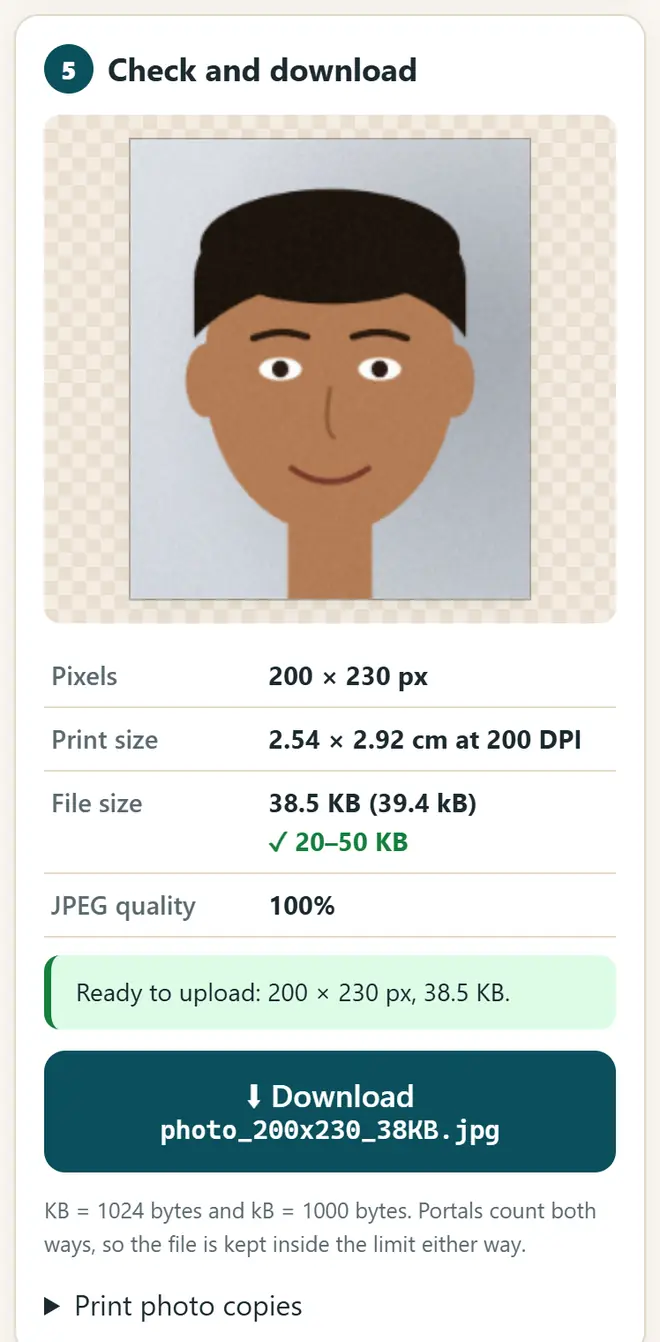
The ready file, with its pixel size and KB.
Tips for a photo that gets accepted
- Photo: stand in daylight in front of a plain white or light wall and face the camera. No cap or dark glasses.
- Signature: sign on plain white paper in the ink colour your form asks for (usually black) and photograph it from straight above, without your shadow.
- Some forms now take your photo live with the camera and ask you to upload only the signature. Read the notice first.
- Sizes change from form to form and from year to year. The sizes in the app are a starting point; the official notice of your exam is the final word. For a document as a small PDF, use PDF Compress & JPG to PDF.
Get new free tools and Hindi AI lessons
Join our email list to hear about new free apps, new guides and Hindi video lessons on AI. No spam.
For adults (18+). You can unsubscribe at any time.
Why we recommend these tools
- Free for everyone: no ads, no sign-up and no paid plan.
- Private: your files and details stay on your own device.
- Works on a phone, laptop or smartboard, and offline once opened.
- Available in 12 languages, including Hindi.
Prefer video? Watch free Hindi lessons on AI and free tools on our YouTube channel.
Frequently asked questions
What photo and signature size do SSC, UPSC or bank forms need?
It depends on the form and the year, so there is no single answer. The app fills in commonly used sizes for each exam and shows when they were last checked, but you must match them with your official notice and change them with “Change size and KB” if they differ.
How do I make a photo 20 KB to 50 KB?
Pick a form that has this limit, or choose “Custom size” and type the width, height and KB from your notice. The app picks the best quality that fits inside the limit.
Is my photo uploaded anywhere?
No. Everything happens inside your browser, so your photo and signature never leave your device. It is safe at a cyber café too: nothing is kept for the next person.
My file is smaller than the minimum KB. What now?
The app takes care of it. If even the best quality is below the minimum, it adds a harmless note inside the file so that the size reaches the minimum. The picture looks the same and opens normally.
Can I print passport size photos?
Yes. Open “Print photo copies” below the result, choose the number of copies and print at actual size (100%).
Found this useful?
Send it to a friend, your colleagues or your school's WhatsApp group.