How to compress an image to 20 KB or 50 KB
The form says the image must be under 50 KB, and your phone photo is 3 MB. Here is how to bring it under the limit in a few taps, without uploading the photo anywhere.
Short answer
Open Image Compressor & Resizer, press “Choose photos” and choose the size “Same size, smaller file”. Under compression, choose “By file size” and type 20, 50 or the limit you need in “Maximum file size (KB)”. The app picks the best quality that fits. Download the photo and check its size.
Compress a photo in 5 steps
-
Add your photos
Open Image Compressor & Resizer and press “Choose photos”. You can add up to 100 photos at a time: JPG, PNG, WebP or iPhone HEIC.
-
Choose the size
To keep the same width and height, choose “Same size, smaller file”. If the form asks for exact pixels, choose “Custom size” and type the width and height.
-
Keep JPG and compress by file size
Keep the file type on JPG: it is accepted almost everywhere. Under compression, choose “By file size”.
-
Type the KB limit
In “Maximum file size (KB)”, type 20, 50, 100 or whatever your form allows. The app tries different quality levels and keeps the best one that fits. If that is not enough, it also makes the photo a little smaller.
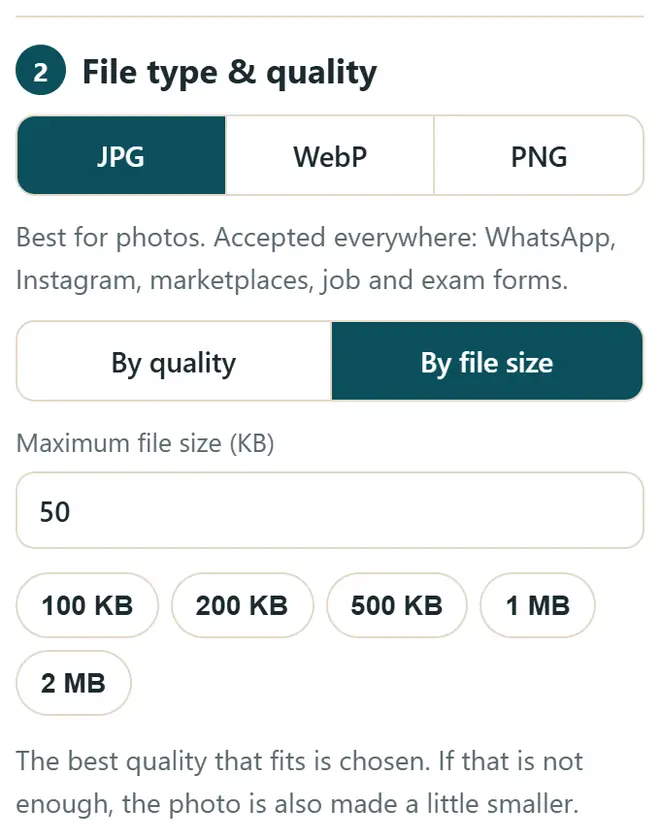
Compress by file size and type the limit in KB. -
Check and download
Every photo shows its size before and after. Tap a photo to see “Before / after”. Then press “Download one by one” or “Download all (ZIP)”.
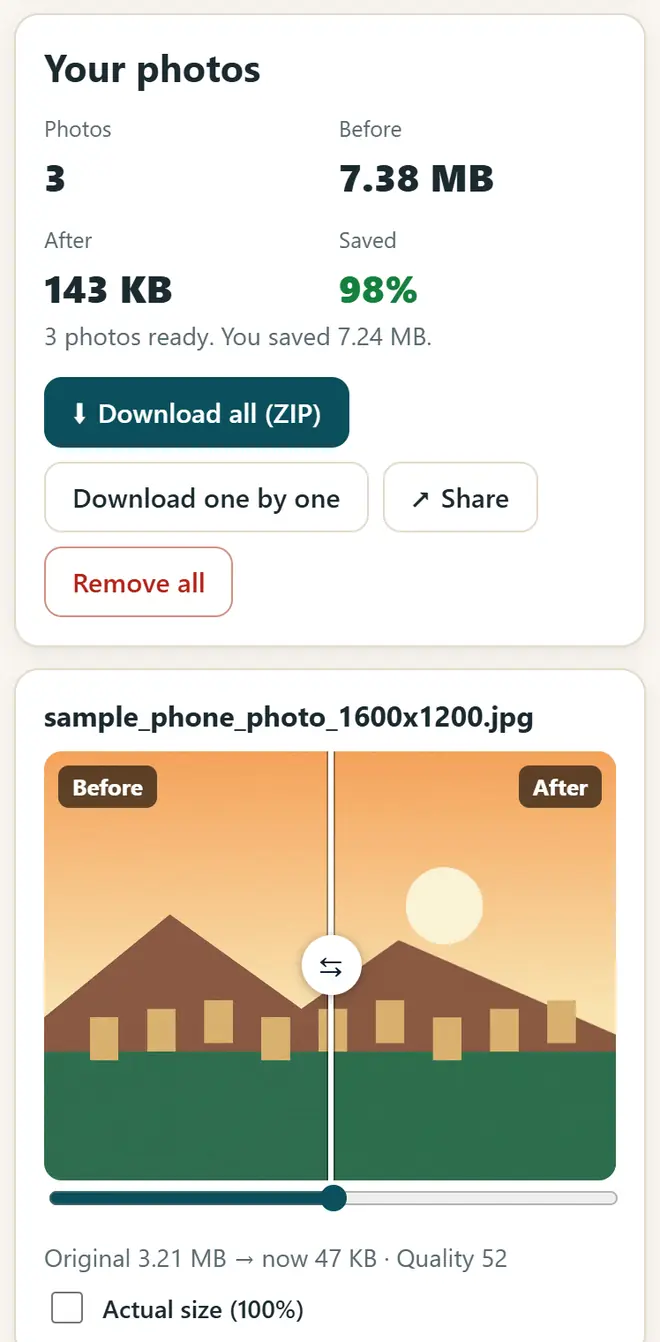
Before and after: the photos are under the limit.
Tips for very small files
- A 20 KB file cannot hold much detail. Crop to the important part or choose a smaller pixel size first: the picture will look sharper at the same KB.
- A PNG cannot be squeezed to a KB limit. Choose JPG, or WebP if the website accepts it.
- For exam and job forms that ask for exact pixels, a KB limit and DPI, Form Photo & Signature Resizer is easier: the form sizes are built in.
- Need a small PDF instead of a picture? Use PDF Compress & JPG to PDF.
Get new free tools and Hindi AI lessons
Join our email list to hear about new free apps, new guides and Hindi video lessons on AI. No spam.
For adults (18+). You can unsubscribe at any time.
Why we recommend these tools
- Free for everyone: no ads, no sign-up and no paid plan.
- Private: your files and details stay on your own device.
- Works on a phone, laptop or smartboard, and offline once opened.
- Available in 12 languages, including Hindi.
Prefer video? Watch free Hindi lessons on AI and free tools on our YouTube channel.
Frequently asked questions
How do I reduce a photo to 20 KB?
Choose “By file size” and type 20 in “Maximum file size (KB)”. If the photo is large, the app also reduces its pixel size so that it fits. For a clearer result, crop the photo or pick a smaller size first.
And to 50 KB or 100 KB?
The same way: type 50 or 100. You can type any limit from 5 KB upwards.
Will the photo look bad?
A smaller file means less detail. The app always chooses the best quality that fits under your limit, and “Before / after” lets you check before you download.
Are my photos uploaded?
No. They are processed inside your browser and never leave your device. Hidden details such as the GPS location are also removed from the new file.
Can I compress many photos together?
Yes, up to 100 at a time. Download them one by one, or all together as a ZIP file.
Found this useful?
Send it to a friend, your colleagues or your school's WhatsApp group.